
22BetCasino and sports
22Bet offer
 Dau GuideIndependent guide · TanzaniaVIEW 22BET
22BetCasino and sports
22Bet offer
betPawa verification is about matching the account holder, not finding a shortcut. Prepare readable documents, protect the original files and send them only through the operator’s authenticated channel.
Get a checklist for your document problem · Msaada wa nyaraka kwa Kiswahili
No uploads are accepted here. The operator’s actual notice decides what is needed.
Follow this route for the task in front of you. Check the existing record before repeating any action involving account access, a bet or money.
The operator’s terms allow checks intended to establish the account holder and the use of the account. Registration alone does not prove that every later transaction will avoid review.
Read the actual request rather than sending a large bundle of unrelated documents. A clear request can specify which detail needs to be established and how evidence should be submitted.
Use information that belongs to you and matches the account accurately. Do not borrow another person’s document or edit an image to make a detail appear different.
If a document is rejected, ask for the reason before uploading the same file again. Poor readability, an omitted edge and an unsupported document type require different corrections.
| Check | Detail and next action |
|---|---|
| Operator | Choplife Gaming Limited |
| Territory and currency | Tanzania · TZS |
| Age requirement | 18+ |
| Published deposit methods | Airtel, Mixx by Yas, Vodacom, Halo-Pesa |
Prepare only what the authenticated request actually asks for. Public guidance cannot establish the same required document list for every account, identity situation and payment review.
Check that the document belongs to you, is readable and shows the requested information completely. Do not crop away an edge needed to establish the document’s completeness.
Do not alter names, dates, photographs or security details to match an account entry. An inaccurate account detail should be corrected through the operator’s legitimate process.
Keep the original file private and submit through the official secure route. This guide has no reason to receive identity files and provides no document-upload form.
A payment method should belong to the account holder. A difference between registered personal details and wallet ownership can require an explanation rather than being a harmless cosmetic detail.
Check the actual details before authorising a transfer. A number saved on the phone may belong to a relative or business even when you are able to use it.
If your legal name has changed or an account detail is wrong, ask the official support route how to correct it. Do not alter a document image to create a match.
Keep a correction request distinct from a payment request. Tell support which record is inaccurate and provide only the evidence requested through the authenticated channel.
Use clear, even lighting and avoid glare over the information requested. A sharp file with all necessary edges is more useful than an edited image made visually decorative.
Read the upload instructions for accepted file types and size before sending. Compressing repeatedly can remove the detail needed for the actual check.
Do not obscure required information unless the operator’s instruction explicitly permits it. Redaction appropriate for a public support screenshot is not automatically suitable for a private identity request.
If the image is rejected, ask what was unreadable or missing. Correcting the stated issue is more useful than repeatedly submitting the same file without understanding the reason.
| Check | Detail and next action |
|---|---|
| Step 1 | Read the exact request in the authenticated account. |
| Step 2 | Check names and details against the account and wallet. |
| Step 3 | Prepare clear, complete images of the requested documents. |
| Step 4 | Upload only through the official secure route. |
| Step 5 | Keep the case reference and ask about any rejected document. |
A move, legal name change or outdated account entry should be explained through the operator’s current correction process. Do not guess which supporting document will be accepted.
Tell support which specific detail changed and which record currently differs. Account identity and wallet ownership may need separate checks even when the same person controls both.
Use authentic, current information and preserve the case reference. Editing a document to resemble an old account entry does not establish the correct present details.
Avoid funding the account while a material ownership question is unresolved. Resolve the mismatch first so a payment does not add another issue to the original correction request.
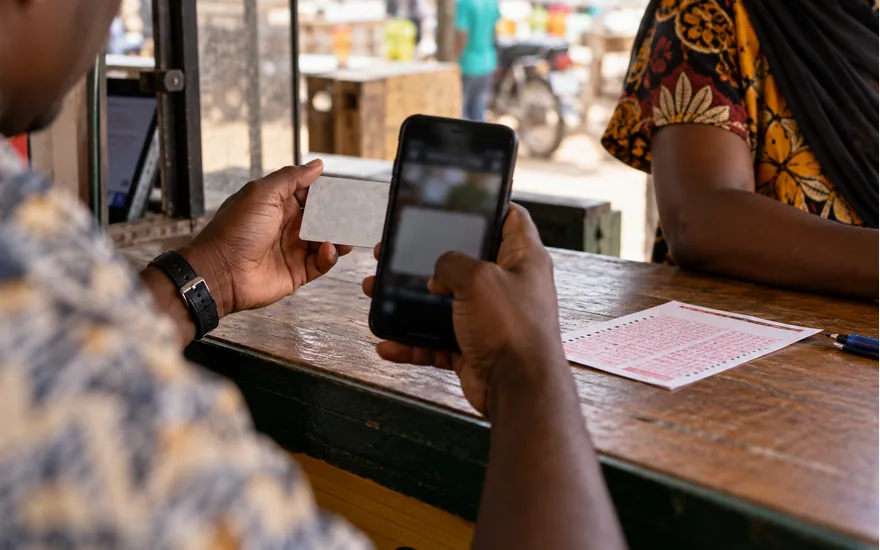
Use a wallet that belongs to you and is permitted by the account’s current cashier. Access to a handset alone does not establish ownership of the mobile-money account.
Check the receiving or paying route before authorisation. Saved contacts, old payment screenshots and instructions from an unofficial agent should not replace the operator’s current cashier information.
Keep wallet messages and account history separately. A debit, an operator credit and a later withdrawal can each have a different reference and status.
If a payment needs tracing, identify which side has the transaction and which side is missing it. That distinction is more useful than describing every problem as money disappearing.
Read the rejection message and identify whether it concerns readability, completeness, validity or document type. These problems cannot all be solved by uploading a higher-resolution copy.
If the reason is unclear, ask for a precise explanation through the same case. Do not send additional unrelated identification just to increase the amount of material available.
Correct the stated issue using an authentic file. Keep the original document unchanged and do not modify legal details or conceal information the check requires.
Record the new submission time and reference if one is provided. An orderly history makes it easier to explain which file was reviewed and which correction is now awaiting assessment.
| Check | Detail and next action |
|---|---|
| Publicly checked | Tanzania operator identity and published cashier names. |
| Check in your account | Current limits, fees, account notices and personal eligibility. |
| Not claimed as tested | No funded withdrawal or independently measured payout time. |
Use the operator’s authenticated account or official secure support route for identity and ownership evidence. Public comments and unofficial social-media helpers are not appropriate destinations.
Do not send passwords, wallet PINs or one-time codes as part of a support explanation. Transaction evidence can normally describe the problem without revealing an active account secret.
Before sharing a screenshot, inspect the whole image for unrelated messages, balances and personal identifiers. Keep enough of the relevant record for tracing while removing unrelated exposure.
This guide does not collect player documents or operate a betting account database. Questions about an account must be resolved with the operator, not through a form pretending to be support.
Read the actual status next to the relevant transaction. Requested, pending, paid, rejected and reversed describe different stages and should not be treated as interchangeable explanations.
Compare the status with the wallet record at the same stage. An operator saying paid while a wallet shows no credit is different from a request still awaiting review.
Record the reference and time before opening a support case. If the status changes, update the same case with the new information rather than starting an unrelated complaint.
Do not try to force a status change by submitting duplicate requests. Check the operator’s available actions and ask for guidance when the record does not explain the next step.
Describe one problem and its current status before adding background. Include the reference, amount where relevant, local date and time, and the exact error or missing event.
Use the official Tanzania Help route, preferably from the authenticated account. This information site cannot view operator records, approve withdrawals, reverse a bet or unlock an account.
Do not include a password, wallet PIN or one-time code. Redact unrelated personal information from screenshots while leaving the transaction reference and relevant status available for investigation.
Keep the conversation reference and add new evidence to the same case. Starting several contradictory requests can make it harder to follow what happened and what has already been checked.
The operator’s terms allow checks intended to establish the account holder and the use of the account. Registration alone does not prove that every later transaction will avoid review. Read the actual request rather than sending a large bundle of unrelated documents. A clear request can specify which detail needs to be established and how evidence should be submitted.
Prepare only what the authenticated request actually asks for. Public guidance cannot establish the same required document list for every account, identity situation and payment review. Check that the document belongs to you, is readable and shows the requested information completely. Do not crop away an edge needed to establish the document’s completeness.
A payment method should belong to the account holder. A difference between registered personal details and wallet ownership can require an explanation rather than being a harmless cosmetic detail. Check the actual details before authorising a transfer. A number saved on the phone may belong to a relative or business even when you are able to use it.
Use clear, even lighting and avoid glare over the information requested. A sharp file with all necessary edges is more useful than an edited image made visually decorative. Read the upload instructions for accepted file types and size before sending. Compressing repeatedly can remove the detail needed for the actual check.
A move, legal name change or outdated account entry should be explained through the operator’s current correction process. Do not guess which supporting document will be accepted. Tell support which specific detail changed and which record currently differs. Account identity and wallet ownership may need separate checks even when the same person controls both.
Use a wallet that belongs to you and is permitted by the account’s current cashier. Access to a handset alone does not establish ownership of the mobile-money account. Check the receiving or paying route before authorisation. Saved contacts, old payment screenshots and instructions from an unofficial agent should not replace the operator’s current cashier information.
Read the rejection message and identify whether it concerns readability, completeness, validity or document type. These problems cannot all be solved by uploading a higher-resolution copy. If the reason is unclear, ask for a precise explanation through the same case. Do not send additional unrelated identification just to increase the amount of material available.
Use the operator’s authenticated account or official secure support route for identity and ownership evidence. Public comments and unofficial social-media helpers are not appropriate destinations. Do not send passwords, wallet PINs or one-time codes as part of a support explanation. Transaction evidence can normally describe the problem without revealing an active account secret.
Read the actual status next to the relevant transaction. Requested, pending, paid, rejected and reversed describe different stages and should not be treated as interchangeable explanations. Compare the status with the wallet record at the same stage. An operator saying paid while a wallet shows no credit is different from a request still awaiting review.
Describe one problem and its current status before adding background. Include the reference, amount where relevant, local date and time, and the exact error or missing event. Use the official Tanzania Help route, preferably from the authenticated account. This information site cannot view operator records, approve withdrawals, reverse a bet or unlock an account.
This guide uses public Tanzania sources. No funded withdrawal test was performed, and account-specific eligibility is not established by public research.
25% of qualifying weekly net Casino losses, not deposits or all stakes. Friday–Thursday; credited the following Friday as cash, without wagering. Virtual Sports are excluded. Detailed rules apply 90-day expiry only without activity; deposits, withdrawals or wagers remove that expiry. The short overview omits this qualification. Check the full terms and account eligibility. 18+; gambling can cause harm. Full conditions and sources.